Is Your Website Ready for AI Search and AI Agents?
A Practical 20-Point Checklist for Business Owners
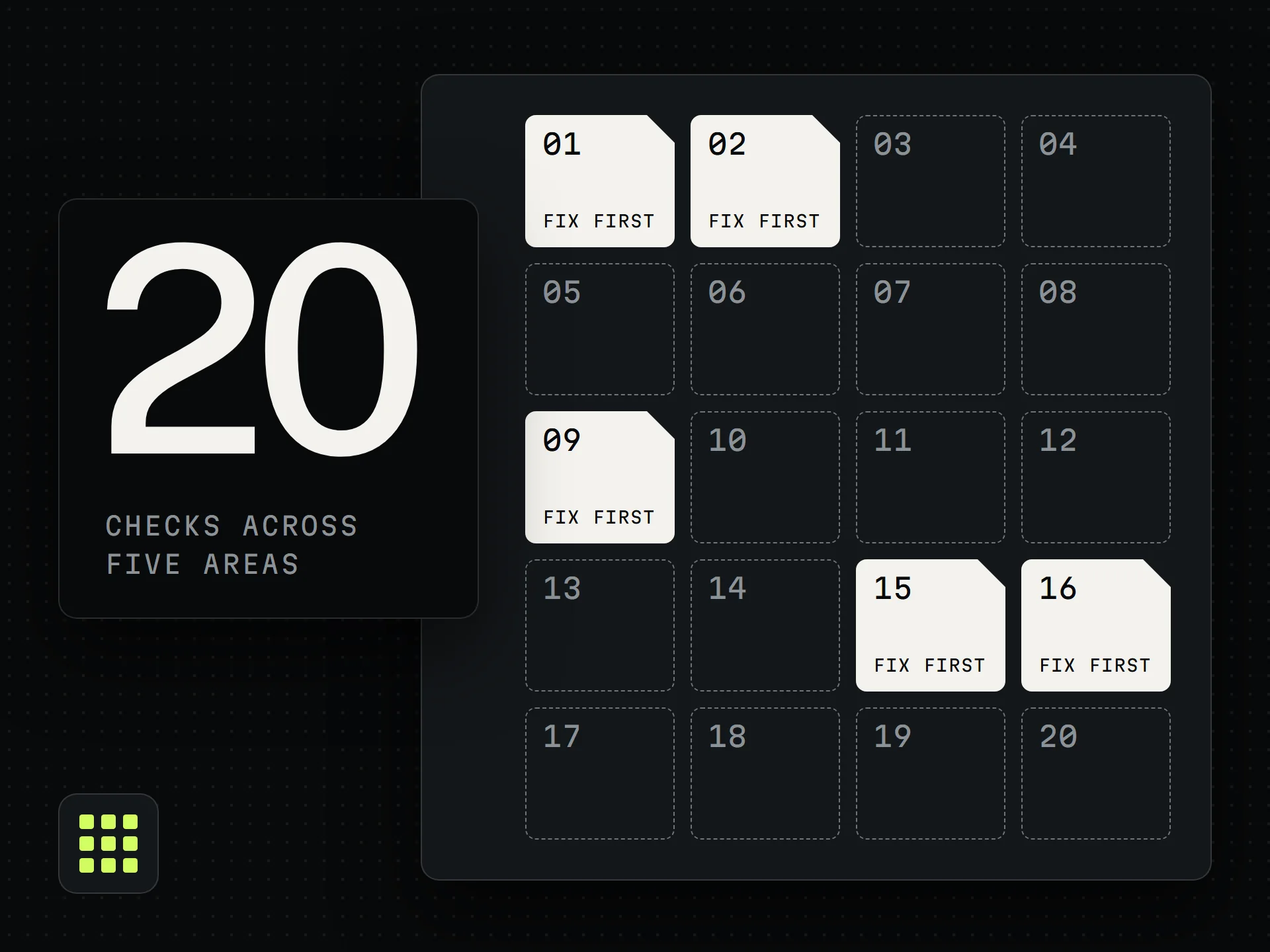
A website is ready for AI assisted discovery when its important public information is accessible, accurate, understandable and useful. Being accessible does not mean ChatGPT, Google AI Overviews or any other system will recommend it and Agent readiness goes even one step further as an authorised assistant should be able to understand the next action and where supported help someone complete it safely.
On this page
This practical checklist gives you 20 checks across five areas. You do not need to code (don’t worry). Most checks use a browser, a mobile phone or free tools and a few involve asking the person who manages your website for evidence. You will finish with a list of problems to fix, rather than a meaningless claim that a website is “AI certified”.
Start here: Pick your homepage, your most important service or product page and the page where someone contacts or buys from you. Use those same three pages for the checks below. For a large site, add one representative page from each important section.
Important: This is a Crawl Nine educational self-assessment and not a test approved or issued by Google, OpenAI, Microsoft or any standards body.
Results cannot predict AI citations, rankings or sales.
What does “AI-ready” actually mean?
These three ideas are related but they are not identical.
| Level | Practical meaning | Example | What it does not promise |
|---|---|---|---|
| AI-search-ready | Relevant search and AI retrieval systems can potentially access public pages and interpret the business information. | A search system can retrieve a supplier’s machine categories and service locations. | A mention, citation, recommendation or first page ranking. |
| Agent-ready | The website presents clear navigation, accessible controls and understandable steps that can support an assistant acting with a user’s permission. | An assistant can locate quotation requirements and identify how to send an enquiry. | That every AI agent can use every website workflow. |
| Agent-transactable | The business has deliberately implemented and tested supported actions with authentication, permission checks, confirmations and auditability. | A connected assistant can submit a non-binding quote request through an authorised interface. | Permission to make purchases or sign contracts without human approval. |
For example a brochure website may only need to be AI-search-ready and straightforward to contact with nothing too complex but an online shop may benefit from more agent-accessible product details and a business taking payments or bookings through automated tools needs much stronger safeguards. You do not need a custom AI integration just to improve ordinary search discovery or website usability.
Google says its AI Overviews and AI Mode use the fundamentals of Google Search: which means a page must be indexed and eligible to appear with a snippet to qualify as a supporting link. No special AI schema or llms.txt is required. See Google’s AI-feature guidance and its generative AI optimization guide.
How to score your website
For each check choose Yes = 2, Partly = 1, No = 0, or Not sure = unassessed. Use Not applicable only when you can explain why the check genuinely does not apply; remove it from the maximum possible points. Do not award points for guesses. A check is Yes only when the relevant test actually passed.
Write down the evidence or the page you checked and then add your points for the completed checks and divide by two times the number of applicable checks. The full checklist is 40 points when all 20 checks apply. Record how many checks remain unknown; otherwise a deceptively high percentage can hide missing evidence.
Want a paper copy? Download the free printable 20-point checklist. You can also use the on-page scorecard without sharing your answers.
PDF, 489 KB
Read the result as a work list, not a certificate. Put blocking issues first: inaccessible pages, accidental noindex, broken enquiry forms and unsafe transaction flows matter more than polishing a minor detail. Note that this framework is an editorial prioritisation tool, not a scientifically validated score or a prediction of future AI visibility.
Area 1 - Accessibility and crawlability
Can people, search engines and relevant AI systems reach the information that matters?
1. Can people open your most important pages?
What to check: Your homepage, a main service or product page and your contact or checkout page load as public pages.
Why it matters: If a page is broken, hidden behind a login or unavailable to visitors, it may also be unavailable to search and retrieval systems. Private content is different: sensitive account pages should stay protected.
Test it:
- Open a private/incognito browser window without signing in.
- Open each of your three chosen URLs, including on your phone.
- Check that the full page appears, the content is readable and there is no unexpected “access denied” “not found” or endless loading screen.
- Follow one important link on each page. Record the URL of anything that fails.
A problem looks like: A service page gives a 404 error, shows only a spinner or asks an anonymous visitor to log in just to read the offer.
What to do: Fix or redirect broken public URLs to the most relevant live page. Remove accidental access restrictions but do not expose genuinely private content.
When to get help: Ask your developer or host if failures are intermittent, affect many pages or involve server errors, permissions or redirects.
2. Are website crawlers unintentionally blocked?
What to check: Your site’s crawling rules and security settings allow the public content you want discoverable to be requested by the relevant systems.
Why it matters: Search bots, AI search bots and model training bots can have different purposes. For example OpenAI documents OAI-SearchBot for ChatGPT search and GPTBot for model training. You can make different business choices about each and a robots.txt file is also not the same as your hosting provider’s firewall.
Test it:
- Open
https://yourdomain.com/robots.txt, replacing the domain with yours. - Look for
Disallow: /beneathUser-agent: *,Googlebot,Bingbot, or an AI-search bot. Do not change anything yet; rules can be more specific than they first appear. - Ask your website manager which bots your CDN or firewall blocks and whether a known legitimate crawler has been challenged or denied.
- Compare the answer with OpenAI’s crawler documentation and if relevant Cloudflare’s AI crawler controls.
What a problem looks like: Important public pages are disallowed to search bots or a firewall blocks a crawler you deliberately want to admit.
What to do: Document which content should be public and which bots you want to serve. Ask for targeted changes and don’t switch off security globally. Remember that some user triggered retrieval works differently from routine crawling.
When to get help: A developer or technical SEO specialist should interpret complex rules and verify actual server/CDN responses. Simply impersonating a bot’s user agent is not definitive proof of access.
3. Is important content present before JavaScript runs?
What to check: The main services, product details, locations and contact information are available in the page’s initial HTML or there is another tested and supported retrieval route.
Why it matters: Some AI retrieval systems cannot rely on running the same scripts as a person’s browser and Google can render many JavaScript pages but other systems vary. So clear, clean initial HTML reduces a possible dependency on a fragile rendering step.
Test it:
- On a desktop browser, open your main service page.
- Choose View page source (not Inspect), then use Find to look for a distinctive sentence from the main service description.
- Repeat with the product name, location and primary contact method.
- If the text is missing then ask a developer to compare raw HTML with the fully rendered page rather than treating this quick test as a final diagnosis.
What a problem looks like: The source contains mostly an empty app container and scripts while the main offer appears only after the browser loads the app.
What to do: Ask whether your platform can pre-render or server render important public content. You do not automatically need a rebuild: WordPress, Webflow, Shopify, Astro and other platforms can work when configured appropriately.
When to get help: A developer should test how the site is delivered and whether a fix is needed. The exact abilities of individual AI crawlers are not uniform or guaranteed.
4. Can visitors find important pages through ordinary links?
What to check: A visitor can reach services, products, policies and contact details through sensible menus and descriptive links.
Why it matters: Internal links help people explore a website and help search engines discover relevant pages and pages reachable only through hidden scripts or an obscure search box can be harder to find.
Test it:
- Start at your homepage without using the site’s search function.
- Find a key service, a relevant example and the contact page using visible links.
- Check the wording: (example) “Industrial machinery servicing” explains more than “Learn more”.
- Open those links in a new tab. If a key destination has no usable link, write it down.
What a problem looks like: A valuable service page exists but is linked nowhere or navigation relies on a hover only control that is hard to use on a phone.
What to do: Put major pages in a clear hierarchy and add relevant links from related pages and avoid creating near duplicate pages just to target slightly different search phrases.
When to get help: Ask a designer or developer when navigation needs restructuring, link destinations are generated unpredictably or keyboard/mobile navigation is broken. Google’s link best practices explain the basics.
Area 2 - Business information and clarity
Can a visitor or retrieval system work out what the business offers, to whom and on what terms?
5. Can a new visitor explain what your business does in ten seconds?
What to check: The first screen and page introduction make your core offer and audience understandable without deciphering slogans.
Why it matters: Buyers need confidence that they have found the right supplier, also note that clear language also reduces ambiguity when your content is summarised elsewhere.
Test it:
- Show the homepage to someone who does not know the business or ask a colleague to read only the first screen.
- Ask: “What do we sell?” “Who is it for?” and “Where do we operate?”
- Compare their answers with what you actually do - Repeat on your main service page.
What a problem looks like: The page says only “Innovation that transforms tomorrow” while the actual service such as precision CNC machinery refurbishment is never named.
What to do: Add a plain sentence identifying the service, intended customer and relevant geography, keeping the brand personality and support it with facts rather than replacing facts with a slogan.
When to get help: A content strategist can help when the company serves several audiences or has a complicated offer that requires clearer positioning.
6. Does each main service or product have a useful explanation?
What to check: Important offers answer practical questions a customer would need resolved before making an inquiry.
Why it matters: “We do manufacturing” is less useful than explaining which materials, processes, capacities and order types the company supports. So buyers and assistants cannot reliably understand/know details you have not published.
Test it:
- Open one high value service or product page.
- Look for what is included, who it suits, important limitations, service areas and the next step.
- Ask a real customer question, such as “Can you refurbish a machine of this size?” or “Can I book an assessment outside London/New York?”
- Mark any factual answer that the page does not supply.
What a problem looks like: Several very different services are combined into one paragraph without specifications or eligibility information.
What to do: Give each substantial offering a clear section or page and state only details the business can stand behind, if pricing varies then also explain what determines a quote.
When to get help: Involve an editor or subject matter expert when technical details, regulated claims or product specifications require careful approval.
7. Do your business facts agree across the web?
What to check: Your name, website, locations, contacts, trading hours, services and important public policies are current and consistent wherever your business controls the information.
Why it matters: Conflicting versions can confuse customers and create inaccurate expectations and external AI answers may also draw from third party information, so fixing your website alone cannot guarantee every answer changes.
Test it:
- Make a short “approved facts” sheet with the business name, URL, service areas and most important offerings.
- Compare it with your website’s footer, contact page and relevant business profiles.
- Check one public facing fact that changes regularly, such as service coverage, appointment availability or pricing conditions.
- Note the last verification date and the person responsible for updates.
What a problem looks like: The homepage says UK wide service while the contact page excludes most regions or an old directory displays a former phone number.
What to do: Correct the sources you own, request amendments to legitimate third party listings and set a simple review schedule. Do not create misleading duplicate business profiles, google is on to that.
When to get help: A specialist may be appropriate when the company has numerous locations, complex feeds or recurring discrepancies across different platforms.
8. Can you prove the claims that matter to a buyer?
What to check: Statements about experience, certifications, results, guarantees and capabilities are supported by specific current evidence.
Why it matters: Trust is built by facts that a customer can inspect, not superlatives. Clear supporting material also makes your content more useful as a source, though no evidence format guarantees an AI citation.
Test it:
- Choose three claims on the homepage such as “certified”, “fastest” or “trusted by manufacturers”.
- Find the page, document or example supporting each one.
- Check that dates, scope, issuer and relevant qualifications are visible where appropriate.
- Ask whether an independent reader could understand the evidence without taking a marketing statement on faith.
A problem looks like: A badge has no issuer or validity period or a case study says “300% growth” without defining the metric or time range.
What to do: Add genuine examples, named or clearly anonymised cases, methodology and dated credentials and remove claims you cannot substantiate plus protect confidential client information.
When to get help: Ask a relevant technical or legal reviewer before publishing regulated, financial, safety or certification claims.
Area 3 - SEO and AI discovery foundations
Can relevant pages be discovered in ordinary search and represented accurately when AI features retrieve information?
09. Are your main pages eligible for indexing?
What to check: Google and Bing can discover and index the pages you want public and those pages are not accidentally marked noindex or restricted from snippets.
Why it matters: Google says a supporting link in Ai overviews or Ai mode must be indexed and eligible to appear with a snippet, also Bing underpins Microsoft search discovery so Indexing is a necessary condition for some surfaces but not a guarantee of visibility.
Test it:
- If you have access, open Google Search Console and use URL Inspection for your most important page.
- Read the reported indexing status and any crawl or canonicalisation issue.
- In Bing Webmaster Tools check the equivalent URL/indexing tools.
- If you lack access then ask your website manager for a dated screenshot or report; a
site:search is only a rough clue, not a dependable index audit.
What a problem looks like: A key service page is excluded because of noindex, a wrong canonical URL or a crawl error.
What to do: Fix the underlying issue, update the sitemap if needed and request indexing through supported tools and avoid repeated requests when the page itself is unchanged.
When to get help: Use a technical SEO specialist for widespread exclusions, canonical conflicts, JavaScript indexing issues or migrations. Read Google’s AI eligibility rules.
10. Do your pages answer the questions a real buyer asks?
What to check: The page explains relevant decisions and answers practical questions in language customers actually use.
Why it matters: Useful answers help readers judge fit and they can also provide clear material for search snippets or AI systems to reference without making inclusion certain.
Test it:
- Write down three questions customers ask before buying.
- Search your most relevant page for a direct answer to each question.
- Check whether the answer is specific: who, what, where, when, limits and next steps as needed.
- Ask a colleague whether they could make progress without calling you for basic facts.
A problem looks like: A page repeats “quality, innovation and expertise” but never says what jobs the company accepts or how long an assessment takes.
What to do: Add concise explanations and examples in the appropriate sections. Do not manufacture hundreds of repetitive FAQs or force every heading into a question.
When to get help: An SEO content professional can prioritise topics and prevent several pages from competing to answer the same question.
11. Is your website organised so related information connects?
What to check: The site has a sensible structure with descriptive page titles, clear headings, related links and a discoverable sitemap where appropriate.
Why it matters: Organisation helps visitors and crawlers understand where to go next. A sitemap can help discovery but does not force a search engine to index a page.
Test it:
- Look at the headings on one service page; can you scan them and understand the page?
- Follow two links to related details, evidence or contact options.
- Visit
https://yourdomain.com/sitemap.xmlor ask where your current sitemap is hosted. - Check whether the same article exists under several URLs without a clear preferred version.
A problem looks like: Many nearly identical city pages, two canonical versions of a guide or a deep section with no internal links.
What to do: Group content by customer need, strengthen relevant internal links and consolidate genuine duplicates where justified and preserve working URLs unless there is a clear migration plan.
When to get help: Bring in a developer or technical SEO specialist for canonical tags, sitemap generation and large scale site architecture.
12. Are your profiles and structured business facts accurate?
What to check: Your relevant business listings are maintained and any structured data accurately reflects information people can see on the page.
Why it matters: Accurate business information helps reduce ambiguity and structured data has uses in search but there is no official “AI citation” switch. Google explicitly says AI search does not require a special schema type or an llms.txt file.
Test it:
- Open your Google Business Profile or other appropriate platform listing, if eligible and confirm the public details.
- Ask your developer whether your site uses
Organization,LocalBusiness,Productor other relevant schema and whether it matches the visible page. - Optionally use Google’s Rich Results Test to inspect supported markup.
- Do not treat a valid schema test as proof that ChatGPT or Google will recommend the business.
What a a problem looks like: Your markup claims services or reviews that are not shown to visitors or a business profile points to a dead URL.
What to do: Fix inaccurate facts and remove misleading markup and use only types that describe real content. Do not buy an “AI optimisation” package based solely on adding llms.txt.
When to get help: A developer can implement and validate schema, particularly across ecommerce or multi-location sites. See Google’s structured-data policies.
Area 4 - AI-agent readiness
Could an authorised assistant understand the next step and use a supported enquiry process without unsafe guesswork?
These checks are design recommendations not evidence that a particular AI product can operate your site. Agents may use screenshots, rendered HTML or an accessibility tree and their capabilities differ. Google Chrome agent-friendly website guidance describes why ordinary accessible interfaces can help both humans and automated tools.
13. Can people and assistants identify and operate the controls?
What to check: Navigation, buttons and form fields have clear labels and behave predictably with a keyboard.
Why it matters: A control labelled “Get a quote” communicates its purpose better than an unlabeled icon and the same basic accessibility features can help some agents interact with a page but human accessibility comes first.
Test it:
- Open the page on a computer and press Tab to move through interactive elements without using the mouse.
- Look for a visible focus indicator and a logical order.
- Read each button and form field label out loud. Can you tell what it does without looking at nearby decoration?
- Try Enter or Space on the appropriate focused controls. Do not accidentally submit a real purchase.
What a problem looks like: A mystery icon opens a form, fields rely only on disappearing placeholder text or keyboard focus vanishes.
What to do: Use descriptive text, visible labels, semantic HTML and obvious confirmation states. Do not remove accessible labels in the name of minimalist design.
When to get help: A developer or accessibility specialist should investigate custom widgets, keyboard traps or complex components. See W3C’s form-label guidance.
14. Are the requirements for an enquiry, quote or booking clear?
What to check: The website states what information it needs from a potential customer, which actions are available and what happens next.
Why it matters: A customer or a helpful assistant cannot make a reliable request if important conditions are hidden plus clear requirements can prevent unsuitable enquiries and false expectations.
Test it:
- Choose one task, such as requesting a manufacturing quote or booking an introductory call.
- Find the necessary requirements: machine category, quantity, budget range, service area, available appointment types or other genuine criteria.
- Read the form and surrounding explanation without contacting the company.
- Check whether the next step, response expectations and any restrictions are stated.
What a problem looks like: A “Book now” button leads to an unexplained sales form or a supplier asks for confidential drawings without explaining how they are handled.
What to do: Explain the purpose of the enquiry, list required information and distinguish a non-binding request from a confirmed booking or order.
When to get help: Ask a workflow designer or developer if your business has several qualification paths, complex pricing rules or regulatory obligations.
15. Does your contact or booking journey work from start to finish?
What to check: Visitors can complete a supported task and receive an understandable confirmation.
Why it matters: A beautiful form is useless if its submission goes nowhere and an agent compatible interface is also not useful if the business has no reliable process behind it.
Test it:
- Tell your team you are running a test and choose a safe, non-purchase enquiry flow.
- Submit a clearly labelled TEST enquiry with a contact address you control. Do not send sensitive customer information.
- Confirm that the page displays a success message and that the team receives the request in the expected inbox or CRM.
- Check the acknowledgement, expected response process and whether duplicate submissions create confusion.
A problem looks like: The form clears without confirming anything, submissions disappear or a calendar shows “booked” with no corresponding event.
What to do: Repair the submission, delivery and confirmation paths and ensure a person or documented process actually handles incoming enquiries.
When to get help: A developer is appropriate when integrations, spam protections, booking APIs or CRM routing are unreliable. Do not use a real payment or binding transaction as a casual test.
16. Are agent permissions and sensitive actions safely controlled?
What to check: The website distinguishes public information, private customer data and actions that need authenticated permission or explicit human approval.
Why it matters: Making information easy to retrieve is not permission to expose private records, accept a contract or charge a card and note that more autonomous workflows introduce security and fraud risks.
Test it:
- Write down the actions a visitor can take: read, enquire, book, log in, pay, change an order.
- Mark which actions require identity verification, consent or confirmation.
- Check that private details cannot be seen simply by opening a shared or guessed URL.
- If an agent integration exists, ask for evidence of its authentication, limited permissions, audit logs and human confirmation rules.
What a problem looks like: A quote API accepts unauthenticated price changes or an automated workflow can confirm a costly purchase without the buyer’s consent.
What to do: Keep ordinary brochure site interactions simple. For automated actions, define explicit permissions, secure endpoints, rate limits, validation, confirmation and rollback procedures before enabling them.
When to get help: Security sensitive integrations require qualified engineering and testing. Standards and product capabilities are still evolving; most small sites do not need custom agent transaction infrastructure today but maybe in the future, we are watching how things are changing.
Area 5 - Conversion, evidence and measurement
When somebody arrives can they use the site, trust the information and take an action you can measure?
17. Is your website genuinely usable on a phone?
What to check: The page is readable, stable, reasonably responsive and easy to use on a typical mobile connection.
Why it matters: Slow or awkward pages waste attention and may cost business. Performance is valuable for people and general site quality, although there is no established rule that a particular PageSpeed score buys AI citations.
But note that both search crawlers and AI assistants care a lot about load speed and a slow site can quietly cost you rankings, indexing and citations.
Test it:
- Open your three example pages on a phone using mobile data if practical.
- Try reading, navigating, opening menus and tapping the contact button with one hand.
- Run a representative URL through PageSpeed Insights.
- Look at real user field data where available and not just a single lab score; note layout shifts and slow loading primary content.
What a problem looks like: Text overflows the screen, a popup blocks the page, the main content appears late or a form is difficult to tap.
What to do: Reduce unnecessary scripts and media, improve responsive layouts and prioritise the experience of actual customers. Do not chase a perfect score at the expense of the site’s purpose.
When to get help: A developer should diagnose recurring Core Web Vitals issues, heavy JavaScript bundles or slow servers.
18. Is the next step obvious and easy to complete?
What to check: People know how to enquire, book, call or buy and the action fits the promise made on the page.
Why it matters: Discovery has commercial value only when suitable visitors can move forward. A highly visible page with an unclear next step still loses opportunities.
Test it:
- Open a service page as if you were a new buyer.
- Within a few seconds, identify the next action and what happens after you take it.
- Use the action on desktop and mobile; check any form length, error messages and required fields.
- Ask whether the page requests information it genuinely needs at this stage.
What a problem looks like: The only call to action is “Contact us” beneath a 15 field form with no explanation of response times.
What to do: Use a specific action such as “Request a machinery quote” or “Book a website assessment” reduce unnecessary fields and explain the next step honestly.
When to get help: Conversion designers or developers can investigate difficult journeys, accessibility issues or multi-stage workflows and avoid false urgency and deceptive design like many funnel websites do.
19. Is there enough trustworthy evidence to help someone decide?
What to check: The site presents credible, relevant proof near the claims and decisions it supports.
Why it matters: Customers need reassurance about capability and reliability. Genuine evidence can also make public business information easier to check but its presence cannot force an AI recommendation.
Test it:
- Choose a high value claim on a service page.
- Look for a relevant case study, specification, review, policy or dated qualification supporting it.
- Check whether results identify the metric, period and how it was obtained.
- Confirm that quotes and logos are authorised and that unavailable evidence is not implied.
What a problem looks like: Anonymous testimonials with no context, made-up badges or a promise of guaranteed AI search placement.
What to do: Publish concrete projects, attributable customer feedback where permitted, clear guarantees and transparent limitations. Always remember that accuracy beats inflated claims.
When to get help: An editor, compliance reviewer or analyst can help with sensitive outcomes, attribution and technical evidence.
20. Can you measure enquiries and actual business outcomes?
What to check: Your business can distinguish website visits, AI or search referrals, genuine enquiries, qualified opportunities and sales.
Why it matters: An impression is not a citation - a citation is not a visit - a visit is not a sale. Tracking the steps separately helps you make better decisions about the website.
Test it:
- Ask to see the site’s analytics and an example of a successfully recorded enquiry or sale.
- In Google Search Console review search impressions and clicks for your important pages. In Bing Webmaster Tools review index coverage and available AI Performance data.
- In your analytics inspect referrals from relevant sources such as
chatgpt.comorperplexity.ai, remembering that some activity may be unattributed or grouped differently. - Compare those signals with actual enquiry records and whether leads became customers. Document the limits of your attribution.
What a problem looks like: A dashboard shows “135 AI citations” and treats the figure as 135 leads or every form submit including test and spam enquiries is counted as a sale.
What to do: Define a small set of honest metrics, track successful conversions with appropriate privacy controls and keep qualified lead records separate from visibility metrics. Microsoft AI Performance report provides citation focused reporting but it is not a sales attribution tool.
When to get help: An analytics specialist may be needed for conversion events, consent compliance, CRM integration, cross domain journeys and lead quality reporting.
What should you fix first?
Work through your results in this order, regardless of the total score:
- Fix broken access and journeys - Publicly intended pages that do not load, accidental exclusion from indexing, broken links and failed forms.
- Fix incorrect business facts - Wrong contact details, outdated service areas, false product claims or unsafe permissions.
- Make the offer understandable - Clear service explanations, practical answers, proof and simple next steps.
- Improve the foundations - Internal linking, indexing investigation, mobile usability and appropriate structured data.
- Measure and revisit - Confirm that tracking works, then compare appropriate results over time rather than relying on a single Ai answer.
For each issue record page → evidence → action → owner → retest date. If several checks fail for the same underlying reason, fix that cause once instead of buying five unrelated “AI optimisation” tasks.
An example from an industrial machinery website
Our Redstone Mach case study reports 538 Google AI feature impressions with 135 Microsoft AI citations and approximately two daily enquiries that the client says came from buyers mentioning AI search or recommendations as their discovery source.
Note that those are different forms of evidence. Impressions indicate exposure in a reported search surface; citations indicate uses of site content in the relevant Microsoft reporting context; the enquiry count is client reported.
The case study does not supply a complete independently verified enquiry log with platform level attribution so those enquiries cannot reliably be assigned to a specific AI product or claimed as caused by a single website change. This is a useful example of why Check 20 asks businesses to keep visibility and commercial outcomes separate. These results are not typical or guaranteed outcomes.
Five claims to be careful about
| Claim | A more accurate statement |
|---|---|
“Add llms.txt and ChatGPT will cite you.” |
llms.txt is not a documented Google AI search requirement. Other platforms have different policies; do not claim a guaranteed citation benefit. |
| “Schema gets you into Google AI Overviews.” | Google says no special structured data is required for AI features. Markup should match visible facts and serve valid purposes. |
| “AI crawlers are all the same.” | Search crawlers, user triggered fetchers and training crawlers have different roles and behaviours. |
| “A fast website ranks in ChatGPT.” | Performance benefits visitors but no universal speed to ChatGPT citation formula has been established. |
| “An agent-ready website needs an AI API.” | Clear content, accessible navigation and a working enquiry path are often the sensible starting point. Custom integrations are task-specific, with extra security requirements. |
Your next move
Frequently asked questions
Do I need a new website to be ready for AI search?
Usually not automatically. Start by checking access, indexing, main content delivery, business clarity and enquiry journeys on the website you already have as some sites need targeted improvements, others have structural limitations that make redevelopment more sensible.
Can ChatGPT read websites built with JavaScript?
It depends on the product, retrieval path and what the site delivers. Google supports JavaScript rendering in search while other AI retrieval systems do not necessarily execute scripts like a browser so inspect the initial HTML and test important pages instead of assuming that a particular framework always passes or fails.
Should I allow GPTBot to crawl my site?
That is a separate policy decision about model training access. OpenAI documents GPTBot separately from OAI-SearchBot which is used for ChatGPT search. Review the provider’s current documentation and your organisation’s preferences before changing crawler rules.
Do schema markup or llms.txt guarantee AI citations?
No. Google explicitly says that special AI schema or llms.txt files are not needed for its generative search features. Valid structured data can have other search uses, unsupported citation guarantees should be treated sceptically.
Is an agent-ready website the same as an automated shop?
No. Agent readiness can mean clear content, accessible controls and understandable enquiry workflows. An agent transactable experience requires specific authorised integrations and safeguards. Not every website needs that second layer.
What does a good readiness score mean?
It means your site passed the checks you actually performed under this educational method. It is not a platform certification and does not predict rankings, citations or revenue. Fix important failures even if your total score is high.
Sources, limitations and editorial method
This guide combines documented platform requirements with Crawl Nine’s practical assessment recommendations. It is not a controlled experiment demonstrating that passing the checks increases AI citations. Recommendations about agent usability are grounded in published accessibility and web guidance but the success of individual AI agents and optional protocols must be tested in real workflows.
Primary official references, checked 18 November 2026:
- Google Search Central — AI features and your website: Google indexing and snippet eligibility.
- Google Search Central — Optimizing for generative AI: no special AI files, markup or forced content patterns.
- Google Search Central — SEO Starter Guide: useful content, site structure and discoverable links.
- Google Search Central — Structured-data guidelines: markup accuracy and eligibility.
- OpenAI Developers — Overview of OpenAI Crawlers: distinct bots and controls.
- Cloudflare — Manage AI crawlers: CDN/WAF-level crawler decisions.
- Microsoft Bing Webmaster Blog — Introducing AI Performance: citation reporting and its scope.
- Chrome for Developers — Agent-ready toolkit: emerging agent-readiness testing tools.
- web.dev — Build agent-friendly websites: accessible interaction patterns and evolving proposals.
- W3C WAI — Labelling controls: accessible form fundamentals.
Evidence labels in this guide: Documented means an official platform or standards source describes the mechanism; Recommended means a reasonable Crawl Nine practical step, not a guaranteed ranking factor; Emerging means an experimental or changing agent capability; Unproven means the claimed outcome lacks reliable evidence. The self-assessment is recommended not an official platform test.